
PDF files are everywhere-from invoices to reports, contracts, and learning materials. When working on React.js projects, displaying PDFs can be simple or complex, depending on your needs. If you only need to show a static document, browser options like iframes might do the trick. But if your users need better viewing, zooming, searching, or interactive features, you’ll need a dedicated PDF viewer.

Choosing a PDF viewer for a React.js or Next.js application depends on your project’s needs. Here’s a quick breakdown of six options to consider:
- PDF.js (Open Source): Reliable, no-frills viewing for simple applications.
- react-pdf (Open Source): Lightweight wrapper for PDF.js, built for React.
- React PDF (Paid): A newer library with a more complete feature set than react-pdf. Customizable and powerful.
- React PDF Viewer (Paid): Provide a more comprehensive feature set than react-pdf. It offers a polished and customizable UI.
- PDF.js Express (Hybrid): Start with free basics, with optional premium add-ons.
- Syncfusion React PDF Viewer (Hybrid): Feature-rich, enterprise ready, ideal for complex needs.
In this article, I’ll be comparing six popular PDF libraries for React.js. Each library has its strengths and weaknesses, and my goal is to help you pick the best one for your project’s unique needs.
Disclaimer: I’m part of the React PDF team.
Why a Good PDF Viewer Matters
When your React.js or Next.js app needs to display documents, the quality of your PDF viewer shapes both development and user experience. Whether you’re building a simple PDF document viewing system, an educational platform, or an AI-driven document management system, having the right viewer simplifies your work and helps keep users happy.
What to Look For in a React PDF Viewer
When selecting a PDF viewer, a few important factors can determine whether it will fit your project needs:
- Quick Setup: Choose a library that fits smoothly into your React or Next.js project and simplified maintenance.
- Ready-to-Use Features: Look for built-in tools like search, zoom and page navigation so you can launch without heavy tweaks.
- Easy Customization: The ability to style, extend, and configure is important for aligning with specific requirements.
- Fast Performance: Fast loading and smooth rendering, especially for big PDFs, are essential.
- Active Support: Documentation and a helpful community make troubleshooting easier and better long-term support.
With these points in mind, let’s check out some top choices!
Open Source Options
1. PDF.js
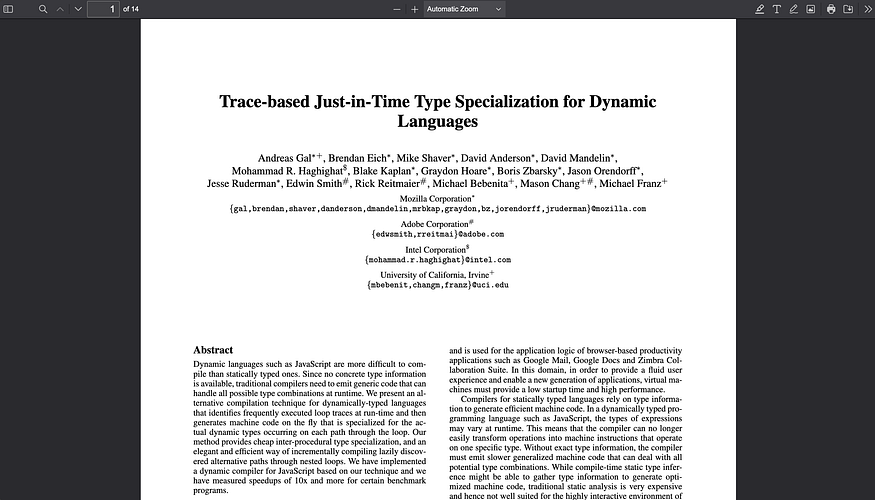
PDF.js is a well-known open-source JavaScript library created by Mozilla for rendering PDFs directly in the browser. The library allows developers to display PDF documents without relying on external plugins or native applications. PDF.js renders PDFs by converting each page into HTML5 canvas elements, ensuring that the content is viewable directly in the browser.
Developers who need a simple, cost-effective solution for displaying PDFs in React.js applications often use PDF.js as a base library. Because it’s a standalone JavaScript library, it’s compatible across multiple frameworks. However, it’s not built specifically for React, so React developers may need to use wrappers or custom integration to make the most of it.
Strengths:
- Large, active community and extensive documentation.
- Free to use, with a simple API that allows basic PDF rendering.
- Actively maintained, so updates and support are consistent.
Limitations:
- Not specifically designed for React; additional setup or wrappers may be required for integration.
- Limited customization, so advanced functionality (e.g., annotations) requires additional coding.
Best Suited For: Simple applications where basic PDF rendering is suffices. While customization is possible, integrating advanced features with React.js requires extensive effort as the library is not designed specifically for the framework.